Known errors
The same error every week, and every time someone hunts for the fix again? With “Known errors” you save it once at the error. The next time it occurs, the error carries the “Known” badge and the fix sits right below it – in the OData console, the UI5 log, Health, authorizations and the issue reporter.
- Edition
- Community
- Tab
- “Known errors”
- Surfaces
- DevTools panel and side panel
- Storage
- this browser only, up to 1,000 entries
- Team entries
- via team packages, Team edition
- On PROD
- no lock, changes nothing in the system
The tab at a glance
The Known errors tab collects your solutions. As long as it is empty, it explains the idea in three steps.
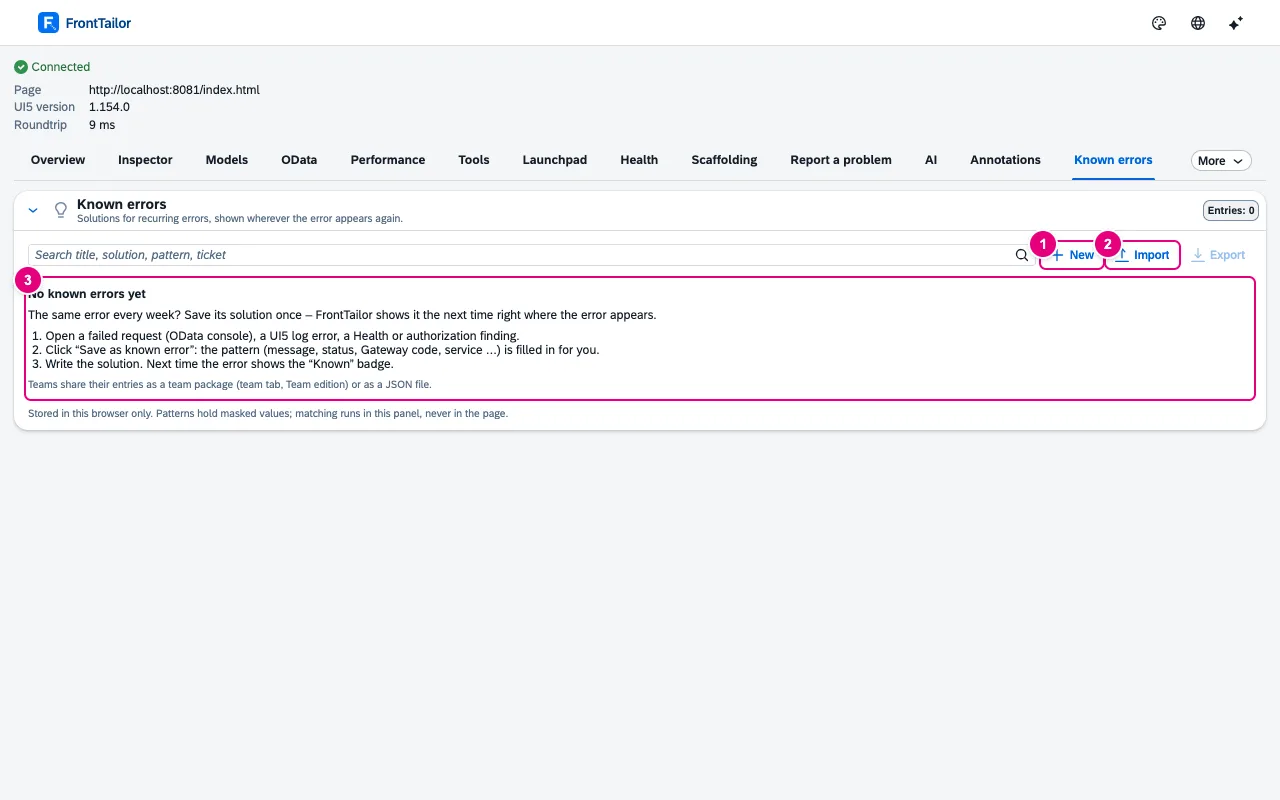
- New creates an entry by hand.
- Import reads a JSON file with entries, Export writes your entries into one.
- The empty state: open an error, Save as known error, write the solution.
Save a solution at the error
- In the OData console, open the failed request and choose the Error tab.
- Click Save as known error. The pattern is taken from the error and masked.
- Enter title and solution (Markdown).
- Remove from the pattern whatever changes from case to case, such as keys or numbers.
- Save.
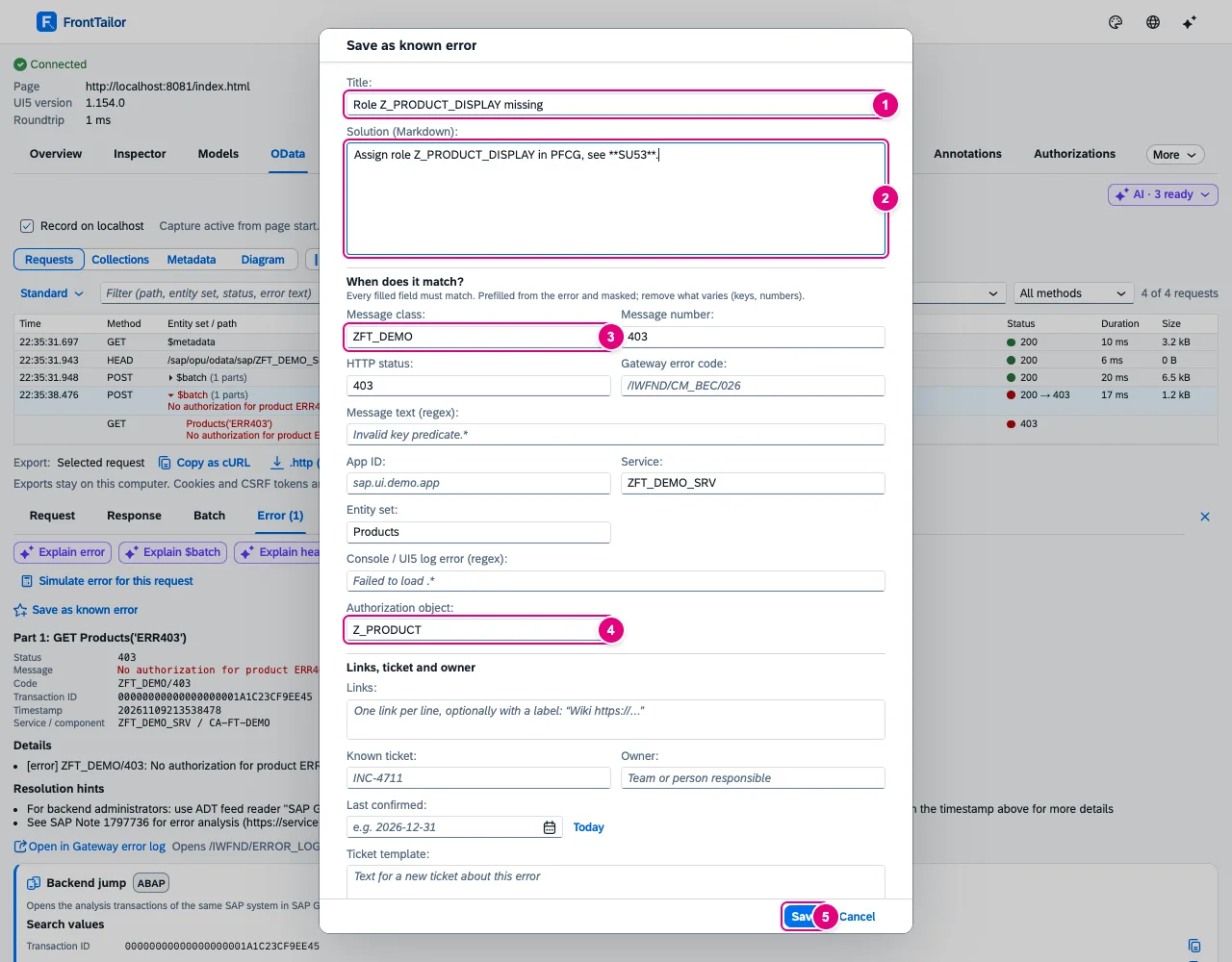
- Title, short and recognisable.
- Solution (Markdown), for example which role is missing and where to check.
- The pattern starts with the T100 message: message class and number.
- The authorization object from the error text or the authorization diagnosis.
- Save.
Under Links, ticket and owner you add up to ten links, a known ticket, the owner (team or role), a ticket template and the “last confirmed” date.
| Pattern field | Matches when … |
|---|---|
| Message class · Message number | … the T100 message is in the error code or the details, e.g. ZFT_DEMO/403. The number only together with the class. |
| HTTP status | … the status is equal (403) or in the class (5xx). |
| Gateway error code | … the code starts like this: /IWFND/CM_BEC matches /IWFND/CM_BEC/026. |
| Message text (regex) | … the regular expression matches the error text (case-insensitive). |
| App ID | … the error comes from this app. |
| Service · Entity set | … the service URL contains the text, or the entity set is equal. |
| Console / UI5 log error (regex) | … an error from the UI5 log or the console matches. |
| Authorization object | … the authorization diagnosis names it or it appears as a word in the error text. |
All filled-in fields must match. Regular expressions must not match empty text (no .*) and are limited to 300 characters. If several entries match, the most precise one comes first.
Next time: “Known”
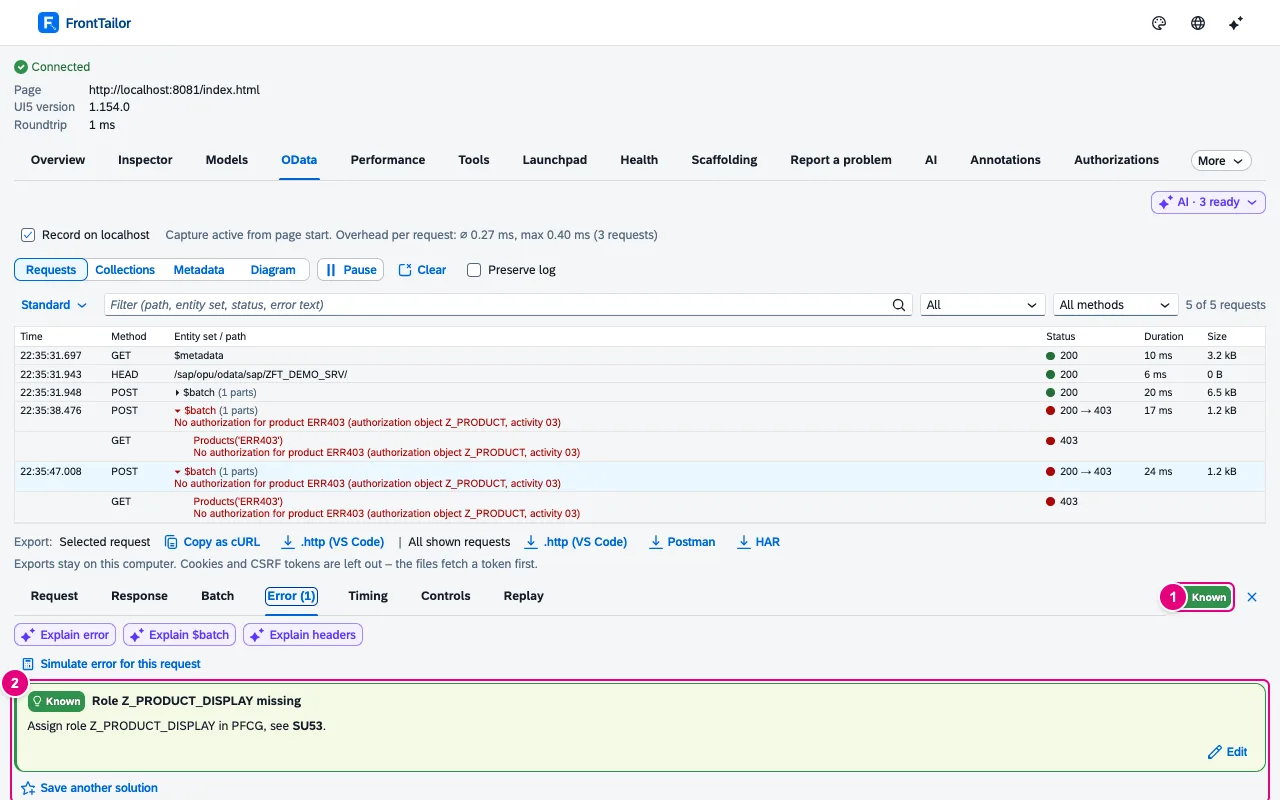
- The Known badge in the details header. A click jumps to the Error tab.
- The solution card with title, solution, ticket and owner, plus Edit. Save another solution creates a second entry.
| Place | Display |
|---|---|
| OData console | “Known” in the details, solution card above every error section. |
| UI5 log (Tools) | “Known” column on error rows, solution expandable. |
| Health and morning check | Card Known errors in this session. |
| Authorizations | Solution card per finding. |
| Report a problem | Card in the context; the report gets a “Known errors” section with the solution or “Already known: ticket …”. |
The list
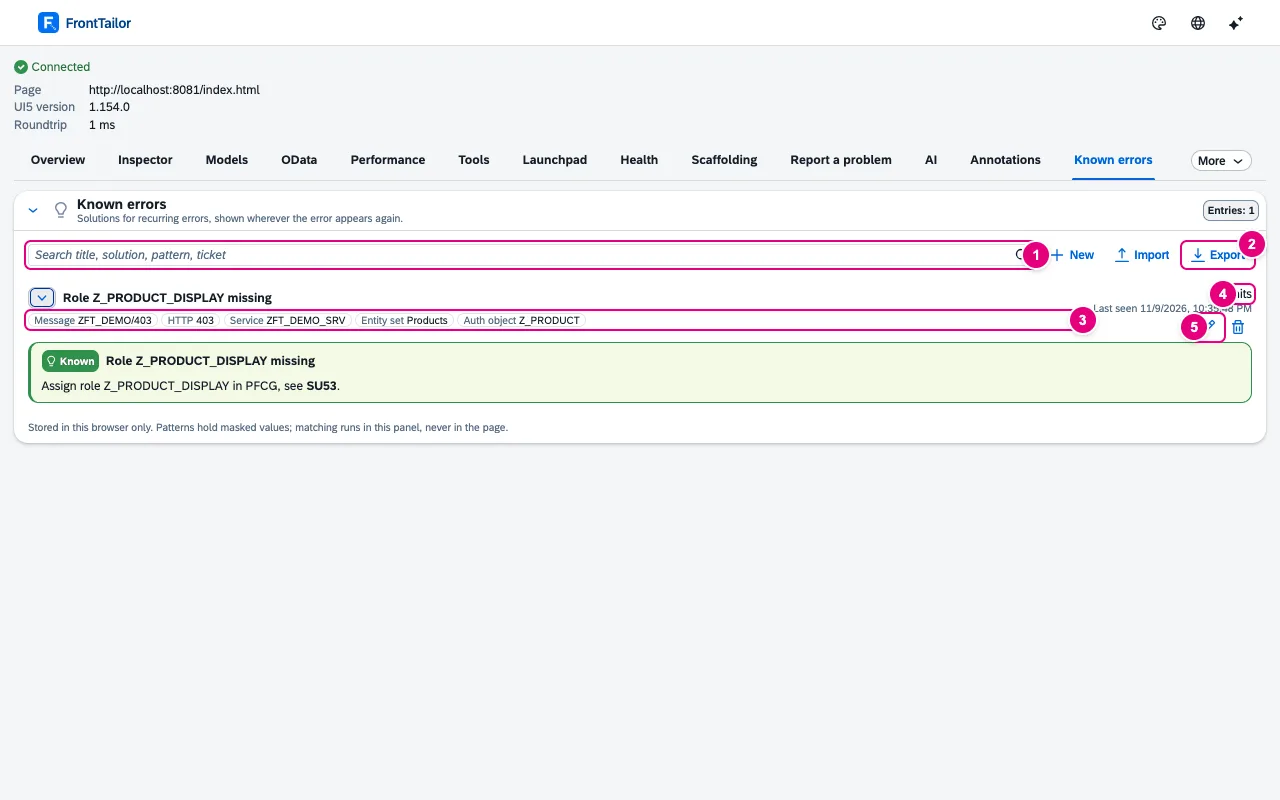
- Search title, solution, pattern and ticket – all words must occur.
- Export writes your own entries as a JSON file.
- The pattern as chips: message, HTTP, service, entity set, auth object.
- How often the entry matched and when last.
- Edit and Delete.
| Button | Effect |
|---|---|
| New | Create an entry without an error as a template. |
| Save as known error | Create an entry from an error, pattern prefilled. |
| Show solution · Hide solution | Expand or collapse the entry. |
| Edit · Delete | Change the entry · remove it with its hit count (after a confirmation). |
| Copy ticket template | Put the template text for a new ticket on the clipboard. |
| Import · Export | Read or write a JSON file with your own entries. |
Masking and team
Patterns must not contain personal data. When saving from an error, e-mail addresses, phone numbers, IBANs and long digit sequences become placeholders (.+?). FrontTailor refuses a pattern with such values and names the field, asking you to replace it with a placeholder (.+?). Matching runs only in the panel, never in the page.
Your own entries are free. With from Team, the team’s entries arrive via a team package, see Team packages. You can override team entries locally; entries set by your administrator are read-only. An export contains only your own entries, without hits.
Typical problems
| Problem | Solution |
|---|---|
| The error is not recognised as known | A pattern field no longer matches, often a key or a number in the text. Replace variable parts of the message text with .+? or clear the field. |
| Saving is refused | The pattern contains personal data or is empty. The editor names the field. |
| Team entries are missing | They appear only with team sync switched on and a from Team licence. The tab points this out. |
| The import skips entries | Invalid entries and patterns with personal data are left out; the message gives the number. |
See also
- Features at a glance Features · Test & report
- Further reading Security and Authorizations for SAP Business Technology Platform (SAP PRESS)
- Help from people Release and transport quality
- Docs OData console
- Docs Report a problem
- Docs Health and morning check
- Docs Team packages
- Sources ADR-0401